Introduction
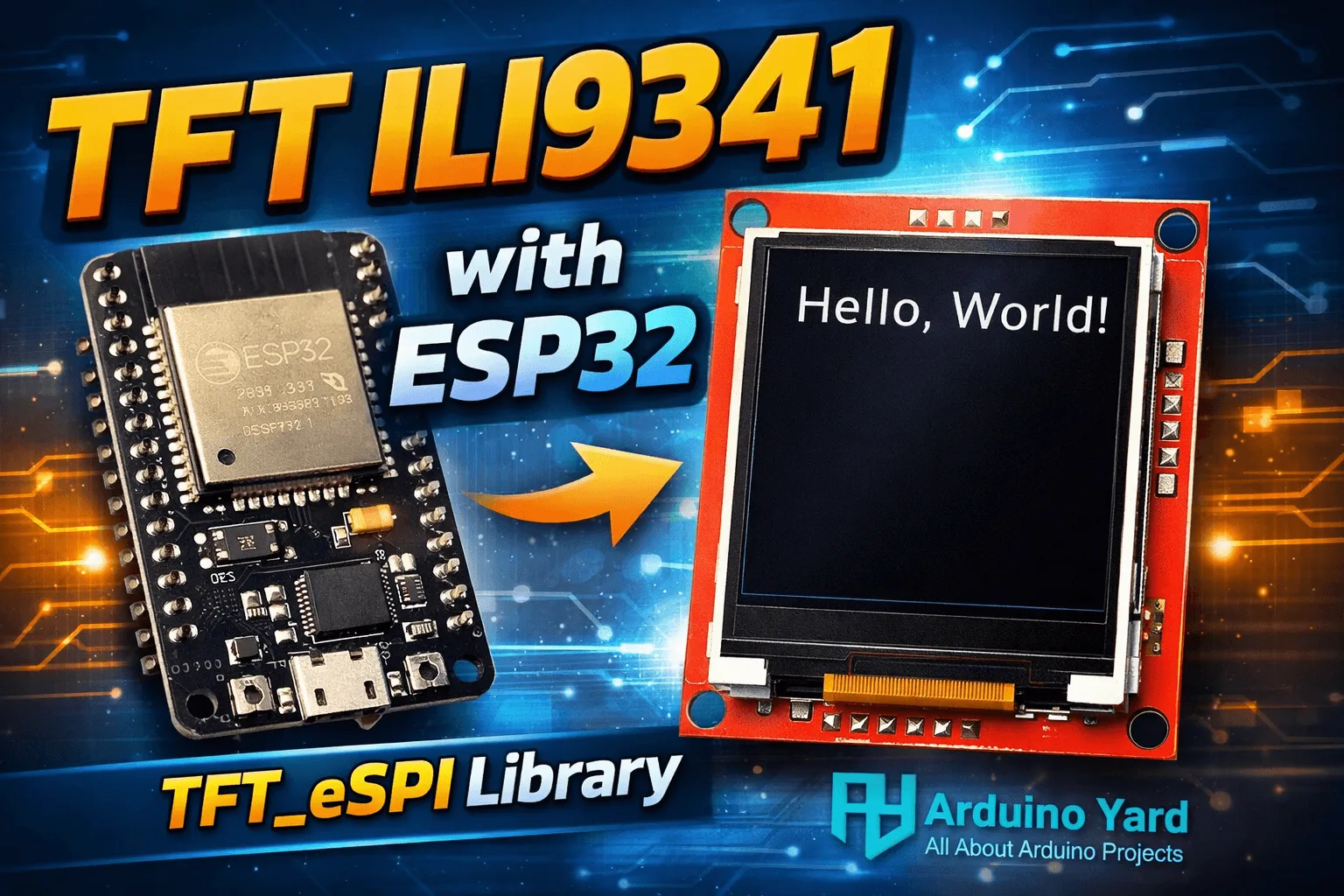
Using TFT Display ILI9341 with ESP32 is one of the most popular combinations for embedded display projects. The ESP32 offers high processing power, built-in WiFi and Bluetooth, while the ILI9341 TFT display provides a colorful, high-resolution graphical interface. When using TFT Display ILI9341 with ESP32, you can build professional-looking user interfaces for IoT dashboards, sensor monitoring systems, industrial controllers, and educational projects.
In this article, we will discuss how to use TFT Display ILI9341 with ESP32 step by step. We will cover basic concepts, required components, library setup, example code to print Hello World, and important tips for stable operation. This guide is written in a beginner-friendly way but also includes details useful for intermediate users.
Why Use TFT Display ILI9341 with ESP32
Using TFT Display ILI9341 with ESP32 gives you several advantages compared to character LCDs or OLED displays. The ILI9341 supports 16-bit color, allowing rich graphics, icons, and smooth text rendering. The ESP32 has enough RAM and speed to handle graphics operations efficiently.
Some key benefits of using TFT Display ILI9341 with ESP32 are:
- High resolution graphics suitable for GUIs
- SPI communication reduces wiring complexity
- Wide library support
- Low cost and easily available modules
- Ideal for IoT and standalone embedded systems
Because of these advantages, using TFT Display ILI9341 with ESP32 is common in smart home panels, temperature monitoring dashboards, and control systems.
Required Components
To start using TFT Display ILI9341 with ESP32, you will need the following components:
- ESP32 development board
- TFT Display module with ILI9341 controller
- Jumper wires
- Breadboard (optional)
- USB cable for programming
Make sure your TFT module operates at 3.3V logic levels. Most ILI9341 modules are ESP32-friendly, but always verify the specifications to avoid damage.
Wiring Diagram
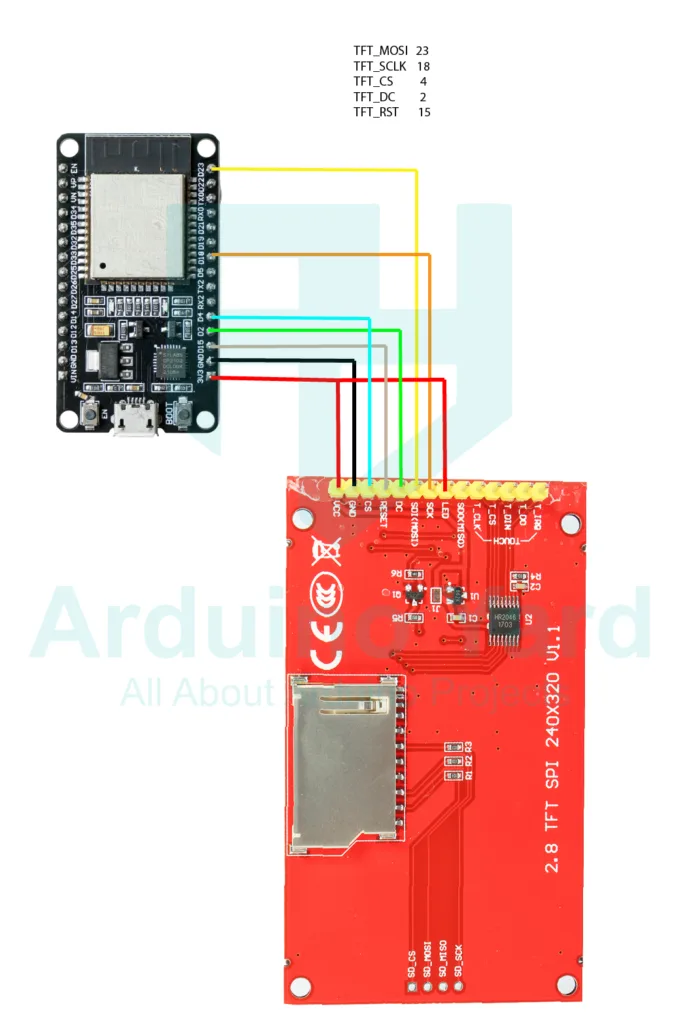
While wiring TFT Display ILI9341 with ESP32, the display typically uses SPI communication. This includes pins for MOSI, MISO (optional), SCK, CS, DC, and RESET. The exact pin mapping depends on your ESP32 board and library configuration.
Library Selection and Setup
Make sure you have ESP32 boards installed in your Arduino IDE. If haven’t installed yet follow this guide.
How To Install ESP32 And ESP8266 Boards In Arduino IDE (Step-by-Step Guide) – ArduinoYard
For using TFT Display ILI9341 with ESP32, the TFT_eSPI library is highly recommended. It is fast, optimized for ESP32, and supports the ILI9341 controller very well.
Steps to install the library:
Download the zip file and add in arduino IDE.
- Open Arduino IDE
- Go to Sketch → Include Library → Add Zip file
- Install the library
Remove the TFT_eSPI library if you have already installed and add this one
Proper configuration is essential when using TFT Display ILI9341 with ESP32, otherwise the display may show a blank screen or incorrect colors. That’s why use this library only.
Example Code: Hello World on TFT Display
Below is a simple example to print Hello World on the TFT screen using TFT Display ILI9341 with ESP32.
//TFT Display ILI9341 with ESP32
#include <TFT_eSPI.h>

TFT_eSPI tft = TFT_eSPI();

void setup()
{
 tft.init();
 tft.setRotation(1);
 tft.fillScreen(TFT_BLACK);

tft.setTextColor(TFT_WHITE, TFT_BLACK);
tft.setTextSize(2); tft.setCursor(40, 120); t
ft.println("Hello World");
}

void loop()
{ }This code initializes the display, sets the screen orientation, clears the screen, and prints Hello World in white text. This is the first step when learning how to use TFT Display ILI9341 with ESP32.
Demonstration

You can extend this demo by drawing shapes, displaying sensor data, or creating buttons. Using TFT Display ILI9341 with ESP32 allows you to design interactive interfaces with touch support if your module includes a touch controller.
Common Issues and Troubleshooting
When using TFT Display ILI9341 with ESP32, you may encounter some common issues:
- Blank screen: Check wiring and pin definitions in User_Setup.h
- White screen: Incorrect driver selection
- Distorted colors: Wrong color order configuration
- Flickering display: Power supply instability
Always ensure good power connections and short SPI wires for reliable performance.
Conclusion
Using TFT Display ILI9341 with ESP32 is a powerful way to add graphics and interactivity to your embedded projects. With the TFT_eSPI library, configuration is straightforward and performance is excellent. Once you display Hello World successfully, you can move on to advanced graphics, fonts, icons, and full graphical user interfaces.
Whether you are building a simple display project or a complex IoT dashboard, using TFT Display ILI9341 with ESP32 gives you flexibility, visual appeal, and professional results. This combination is highly recommended for anyone working with ESP32-based systems.
SEE MORE ESP32 GUIDES WITH OTHER COMMONLY USED DISPLAYS
0.96 Inch I2C OLED Display With ESP32 – ArduinoYard
How To Use An I2C LCD With ESP32: A Beginner’s Guide – ArduinoYard